The shopping list is the part of meal planning that takes the most time and causes the most frustration. You plan five recipes, then spend 20 minutes going through each one, writing down ingredients, trying to remember what you already have, and inevitably forgetting something.
There's a better way. If you use a meal planner that automatically generates a combined shopping list from your planned recipes, the whole process takes a fraction of the time. Culinse's weekly meal planner does exactly this — free, no account required to try. Here's how to set it up.
The Problem with Manual Shopping Lists
When you're planning from multiple recipes, there are three problems with writing the shopping list by hand:
- Duplication: if three recipes use garlic, you write garlic three times instead of combining the amounts.
- Time: going through 4–5 recipes ingredient by ingredient is slow.
- Errors: it's easy to miss an ingredient or write down the wrong amount.
Plan your week and the shopping list writes itself
Start the free meal planner →An automatic shopping list solves all three. You tell the app what you're cooking this week, and it figures out exactly what to buy — combined amounts, no duplicates, sorted by category so you can move through the store efficiently.
Step 1: Plan Your Week First
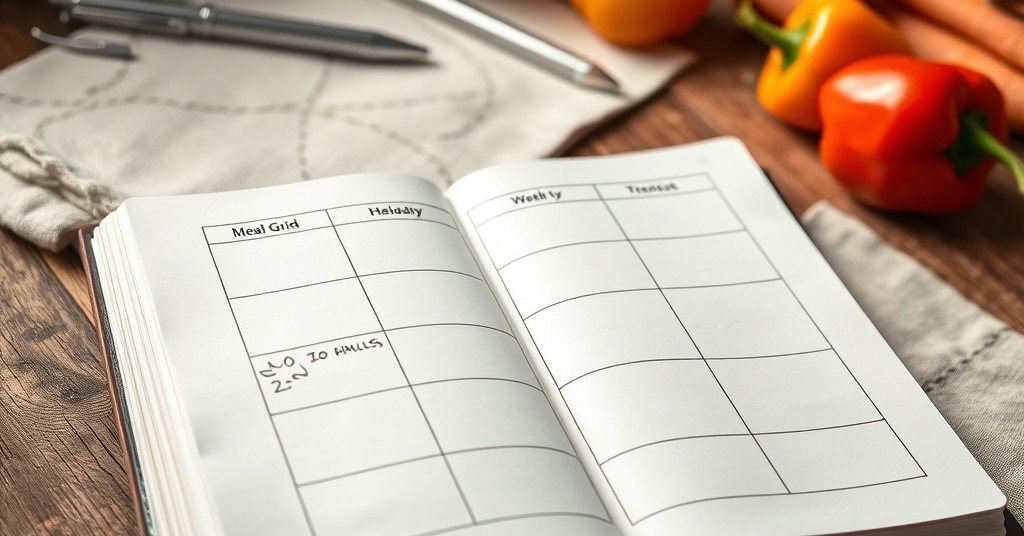
Before any shopping list, you need a weekly plan. The most useful format is a 7×3 grid — seven days across the top, breakfast/lunch/dinner down the side. You don't have to fill every cell. Most people plan dinners at minimum, add lunches if they meal prep, and leave breakfast flexible.
- Start with dinners — those are the most time-consuming and most worth planning.
- Add lunches if you're meal prepping for work.
- Don't over-plan. 4–5 planned meals is realistic. Leave room for leftovers and flexible days.
Step 2: Choose Recipes That Share Ingredients
One of the underrated tricks of meal planning is ingredient overlap. If you can plan a week where garlic, onions, olive oil, and chicken appear in multiple recipes, your shopping list gets shorter and cheaper.
- Pick a protein and use it two ways: chicken thighs on Monday, chicken in a stir fry on Wednesday.
- Plan one big batch of grains (rice, quinoa) that works across multiple meals.
- Roast a big sheet of vegetables — they work as a side dish, in a grain bowl, or stirred into pasta.
Step 3: Let the App Generate the Shopping List
Once your week is planned, the shopping list should happen automatically. A good meal planning tool combines all the ingredients from your planned recipes, adds up the amounts (so '2 cloves garlic' from three recipes becomes '6 cloves garlic'), and sorts everything by grocery store section.
- Produce: all your fresh vegetables and fruit together.
- Meat & fish: your proteins for the week.
- Dairy & eggs: anything from the cold section.
- Dry goods & pantry: grains, canned goods, oils, spices.
- Frozen: anything from the freezer aisle.
Culinse does exactly this. You plan your week in a 7×3 grid, pick recipes from a large cross-source library, and the shopping list is generated automatically with combined amounts sorted by category. You can then check off items as you shop. Free at culinse.com.
Step 4: Review Before You Shop
Before heading to the store, take 2 minutes to check the list against your pantry. Cross off anything you already have. This is much faster than doing it recipe by recipe — you're looking at one consolidated list, not flipping between five pages.
- Check spices and condiments first — these are the ones most likely to be duplicated.
- Look at quantities: if the list says '1 can coconut milk' but your recipe calls for most of a can, you might want to get two.
- Note anything with short shelf life — plan those recipes early in the week.
The Result: 10 Minutes of Planning Per Week
Once you have a system, weekly meal planning with a proper shopping list takes about 10–15 minutes. Pick your recipes, drag them into the weekly grid, review the generated list, check your pantry, go shopping. During the week you cook from a plan instead of deciding on the fly.
The time investment pays off every single day — no more 'what's for dinner' decision fatigue, no more forgotten ingredients, and significantly less food waste because you're buying what you'll actually use.
A Sample Week You Can Copy
Theory is easier to trust with an example. Here's a simple five-dinner week built around ingredient overlap, so the shopping list stays short and cheap:
- Monday — Sheet-pan chicken thighs with roasted vegetables.
- Tuesday — Pasta with tomato sauce and a green salad.
- Wednesday — Chicken stir-fry with rice, using the same vegetables as Monday.
- Thursday — Red lentil soup with crusty bread.
- Friday — Homemade pizza, or a freestyle 'use it up' night.
Because the chicken, vegetables, and pantry basics repeat, those five dinners collapse into one short, organized list instead of five separate ones:
- Produce: onions, garlic, vegetables for roasting and the stir-fry, salad leaves, tomatoes.
- Meat: chicken thighs — enough for two meals.
- Pantry: pasta, rice, red lentils, tinned tomatoes, olive oil, stock.
- Bakery: bread and a pizza base.
- Dairy: cheese for the pizza and salad.
Five dinners, one trip, almost nothing wasted — that's the entire payoff of planning before you shop.
How many meals should I plan each week?
Start with dinners — they're the hardest to wing and the most worth planning. Four or five is realistic for most people; leave a couple of evenings open for leftovers or spontaneity. Add lunches only if you actually meal prep, and keep breakfast flexible.
What if my plans change mid-week?
They will, and that's fine. A plan is a starting point, not a contract. Swap two dinners, push one to next week, or cook the quick option when a day runs long. The goal is to remove the daily decision, not to lock yourself in.
How do I keep the grocery bill down?
Plan around overlap so ingredients get fully used, check your pantry before you buy, and lean on what's in season. Buying only what your plan needs is the single biggest way to cut waste — and waste is where most grocery money quietly disappears.
Can I plan for a whole family?
Yes — the system scales straight up. Build a rotation of meals everyone eats, scale each recipe to your household size so no portion comes up short, and reuse the weeks that land well instead of replanning from scratch.
However you plan — notebook or app — the magic is in deciding before you shop. And if you'd like the shopping list built for you automatically the moment your week is set, plan your week free at culinse.com.